MIME Type Lookup
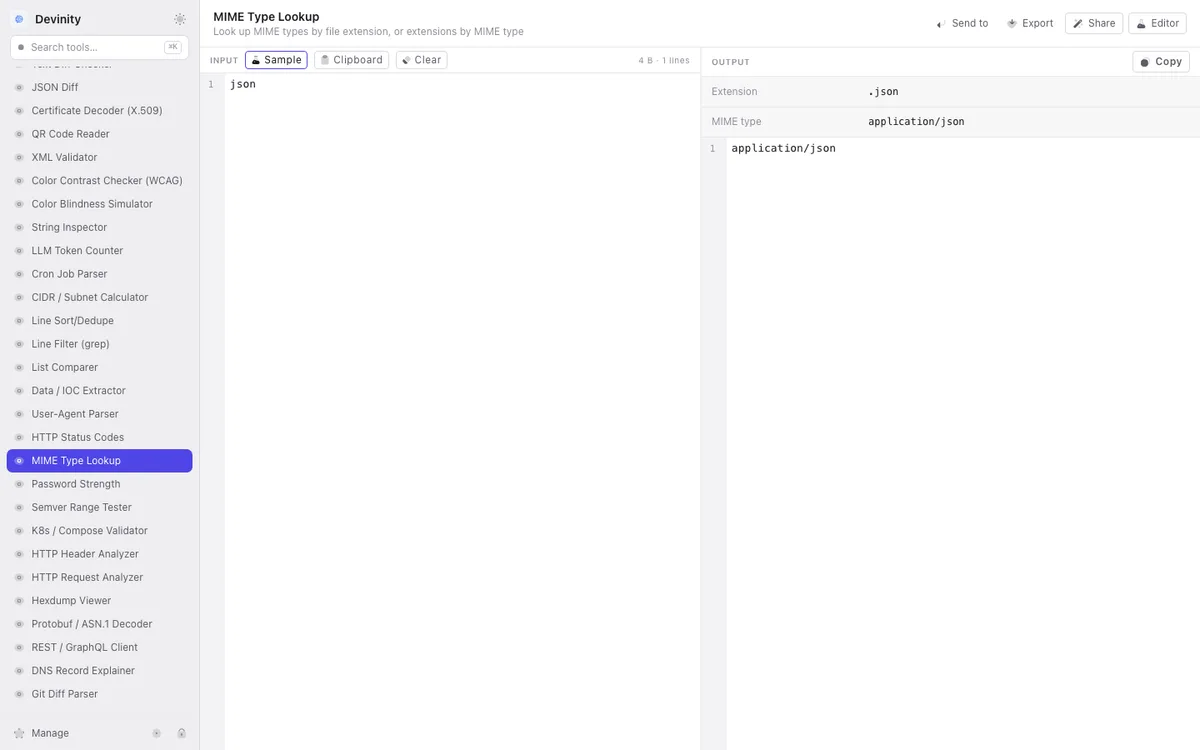
Look up the MIME type for a file extension, or find which extensions correspond to a MIME type. Covers all common formats — documents, images, audio, video, archives, web formats, and more. Useful when setting Content-Type headers, configuring web servers, or working with file uploads.
What it does
- ▸Look up MIME type by file extension (.json → application/json)
- ▸Look up file extension by MIME type (application/json → .json)
- ▸Covers 1,000+ MIME types and extensions
- ▸Includes common web formats: HTML, CSS, JS, JSON, XML, SVG, WebP, WOFF2
- ▸Shows multiple extensions for types that have them (image/jpeg → .jpg, .jpeg, .jpe)
Use cases
- ▸Setting the correct Content-Type header for an API response
- ▸Configuring a web server's MIME type mappings
- ▸Determining the file type for an upload validation
- ▸Finding the correct MIME type for a less common file format
How it works
Type a file extension (with or without the dot) or a MIME type into the input
The tool looks up the corresponding MIME type or extensions
Results are displayed instantly in the output
Copy the MIME type or extension for use in your configuration
Frequently asked questions
1What's the difference between text/plain and text/html?
text/plain tells the browser to display the content as plain text without rendering. text/html tells the browser to parse and render the content as HTML. Setting the wrong Content-Type can cause security issues (e.g., rendering user-uploaded text as HTML leads to XSS).
2What MIME type should I use for JSON?
application/json is the standard MIME type for JSON. It's officially registered with IANA. Some older APIs use text/json, but application/json is the correct and universally supported choice.
3What about application/octet-stream?
application/octet-stream is the generic binary MIME type. It's used when the specific type is unknown or when you want the browser to download the file instead of trying to display it. It's the safe fallback for unknown file types.
Related tools

HTTP Status Codes
Look up HTTP status codes by number or search by name/description

HTTP Header Analyzer
Parse HTTP headers, explain their purpose, and flag missing security headers

HTTP Request Analyzer
Parse raw HTTP requests or cURL commands — breakdown method, URL, headers, body, and generate code snippets

Base64 Image Encode/Decode
Convert images to Base64 data URIs and back
Use MIME Type Lookup offline in Devinity
All 95 tools run locally on your Mac. No internet required, no data sent to servers.
Download Devinity →