CSS Beautify / Minify
Format CSS into clean, readable stylesheets with consistent indentation. Handles nested rules, media queries, and at-rules. Minify mode strips comments and whitespace for production. Works with modern CSS features like custom properties, layers, and container queries.
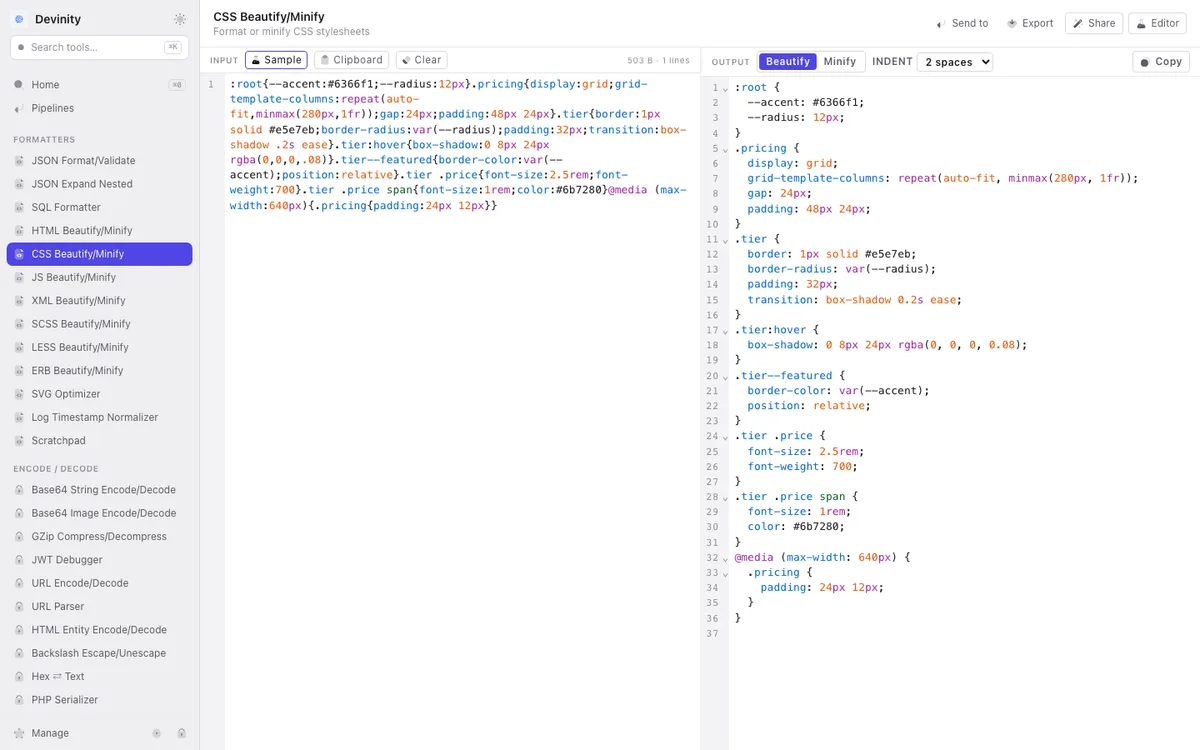
What it does
- ▸Beautifies CSS with configurable indent (2, 4, or tab)
- ▸Handles media queries, @supports, @layer, and other at-rules
- ▸Preserves CSS custom properties (variables) and modern selectors
- ▸Minify mode removes comments and whitespace for smaller file sizes
- ▸Works with SCSS-like nesting syntax (though for full SCSS use the SCSS formatter)
Use cases
- ▸Formatting minified CSS from a production build for debugging
- ▸Cleaning up CSS generated by AI or a CSS-in-JS extraction tool
- ▸Standardizing stylesheet formatting across a project
- ▸Minifying CSS for deployment
How it works
Paste your CSS into the input pane
Choose beautify or minify mode
Set indent style if beautifying
Copy the formatted CSS from the output pane
Frequently asked questions
1Does it support SCSS or LESS?
This formatter handles standard CSS. For SCSS syntax (nesting, mixins, variables), use the dedicated SCSS formatter. Same for LESS — there's a separate LESS formatter tool.
2Will it sort my CSS properties?
The formatter focuses on indentation and structure. It doesn't reorder properties within rules, since property order can matter for CSS cascade and shorthand behavior.
3Does it handle CSS modules or Tailwind directives?
Yes. @apply, @layer, and other Tailwind-specific at-rules are preserved. CSS module composes and :local() selectors pass through unchanged.
Related tools


Use CSS Beautify / Minify offline in Devinity
All 95 tools run locally on your Mac. No internet required, no data sent to servers.
Download Devinity →